July 30, 2026 · 3 min read
How to Take Progress Photos That Actually Show Change
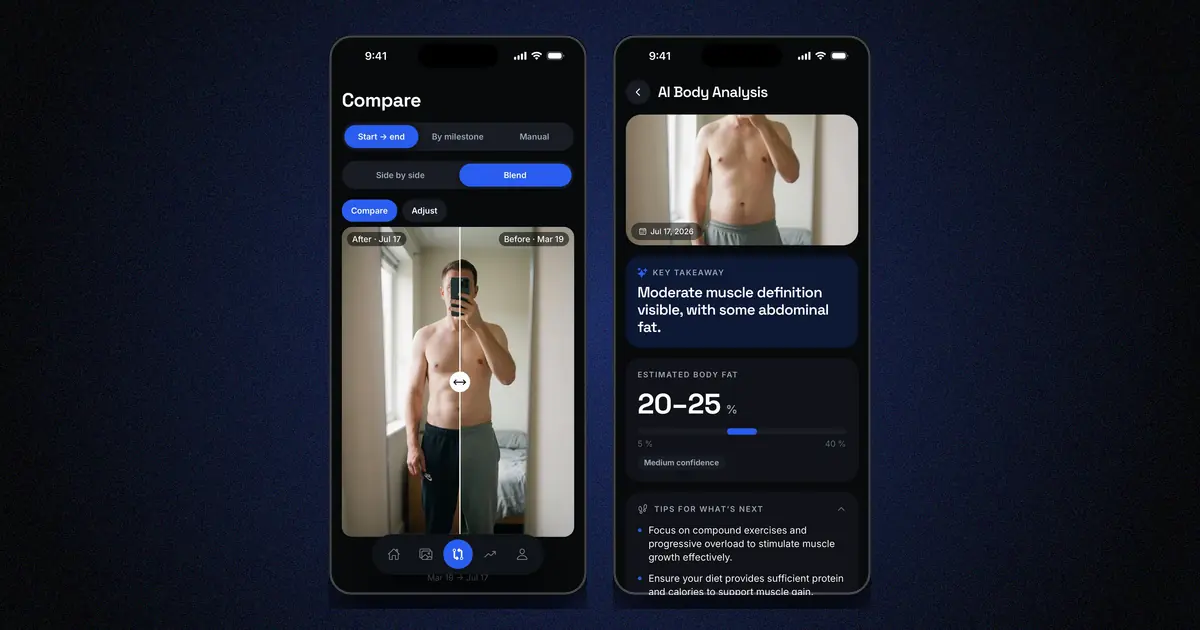
The point of a progress photo is not the photo — it is the comparison. Two shots taken weeks apart can only be compared if almost everything else stayed the same. Here is the whole method in one list, details below.
Pick a rhythm you can keep
Weekly or every two weeks both work; daily does not — visible change needs time, and a photo that shows nothing new erodes motivation. What matters is that the interval is fixed. Set a reminder: consistency should not depend on remembering.
Control the light
Light changes how a body looks more than most physical change does. Overhead light digs shadows that flatter definition; soft window light erases it. Neither is "true" — the problem is switching between them. Choose one spot with stable artificial light, and shoot there every time. Avoid direct sunlight: it varies with hour and season.
Fix the framing
Distance and camera height change proportions. Two reliable options:
- A mark on the floor for your feet and a fixed support for the phone — a shelf, a tripod, always the same.
- An app with a pose guide or ghost overlay, which shows the previous photo while you frame the next one.
Framing drift is the single most common reason photo sets become uncomparable.
Three poses, relaxed
Front, side, back. Arms slightly away from the body, natural posture, no flexing — a relaxed body is the honest baseline, and flexing consistency is much harder to reproduce than standing still. If you also want flexed shots, take them in addition, not instead.
Wear the same thing
Fitted clothing that shows your silhouette — the same set every time. A different waistband height alone can fake or hide centimeters at the waist.
Attach the numbers
A photo answers "how do I look"; weight and measurements answer "how much". Log weight and a few measurements — waist, hips, arm — the same day as the photo, in the same place as the photo. Trends only appear when the data sits together.
Store them somewhere private — on purpose
Progress photos are photos of your body in underwear. Two practical rules:
- Keep them out of your camera roll, away from auto-backups, screen-sharing accidents and gallery scrolling.
- Know where they go. If an app stores them, read what it does: cloud or on-device, account or not, used for training AI models or not.
A local-first app like Body Tracker keeps photos, weight and measurements in an encrypted database on your phone, with no account and no server — and its pose guide handles the framing rules above. If you are comparing options, our honest comparison of progress photo apps covers alternatives too.
Compare over weeks, not days
Look at photos at least a few weeks apart. Day-to-day comparison shows water, food and light — not change. The pairing that keeps people going is the side-by-side of today against one or two months ago: that is where the trend becomes undeniable.
Already have two photos? Our free before and after photo maker lines them up with their dates, right in your browser — nothing is uploaded.